How to export G-code from Bambu Studio
Bambu Studio saves a sliced plate as a .gcode.3mf, or as a plain .gcode. Both hold the toolpath your printer follows, and Extrudio renders photoreal images from either.
Checked in Bambu Studio 2.8.2.61 on October 8, 2026.

Slice the plate
Slice it as you would to print it.
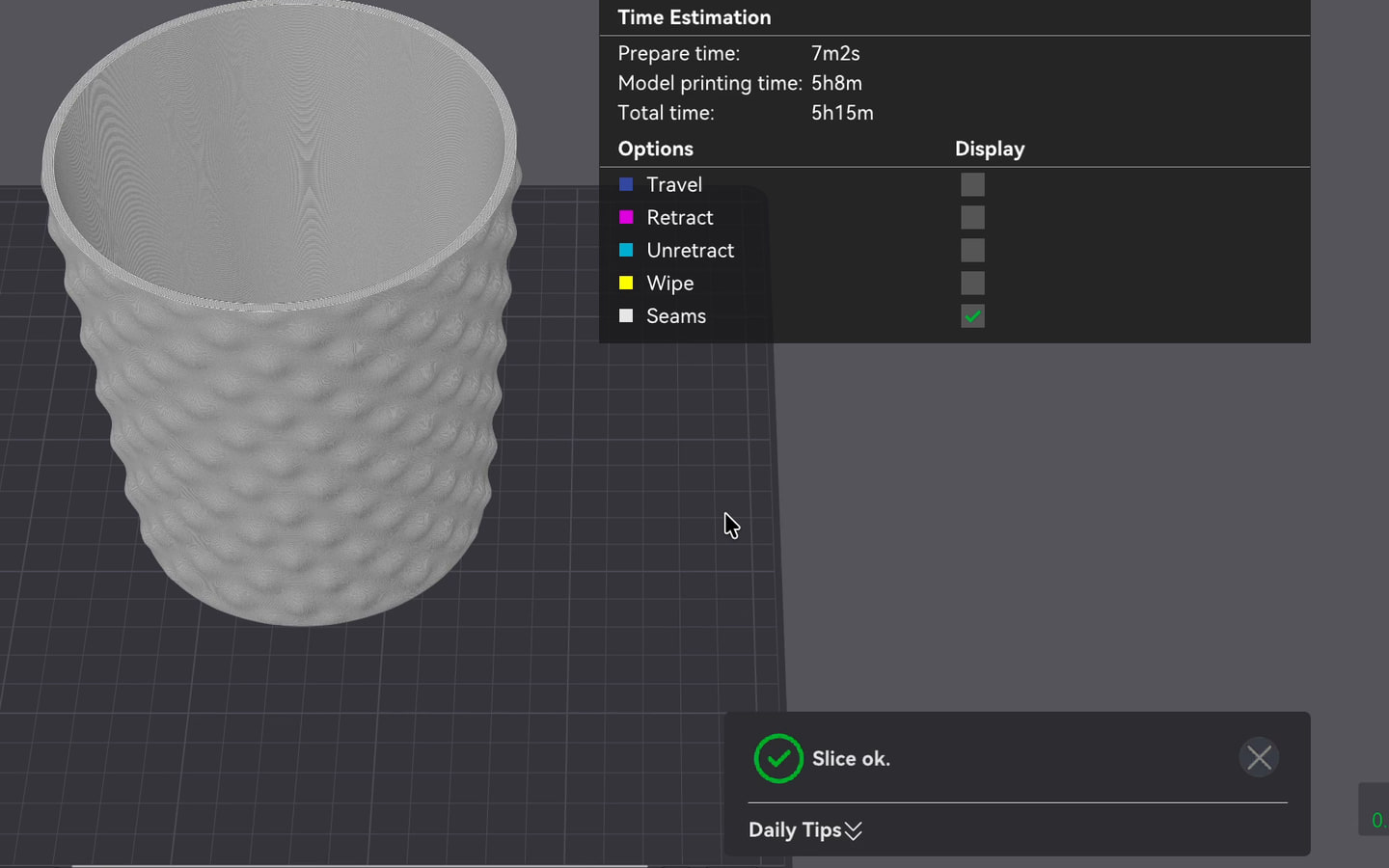
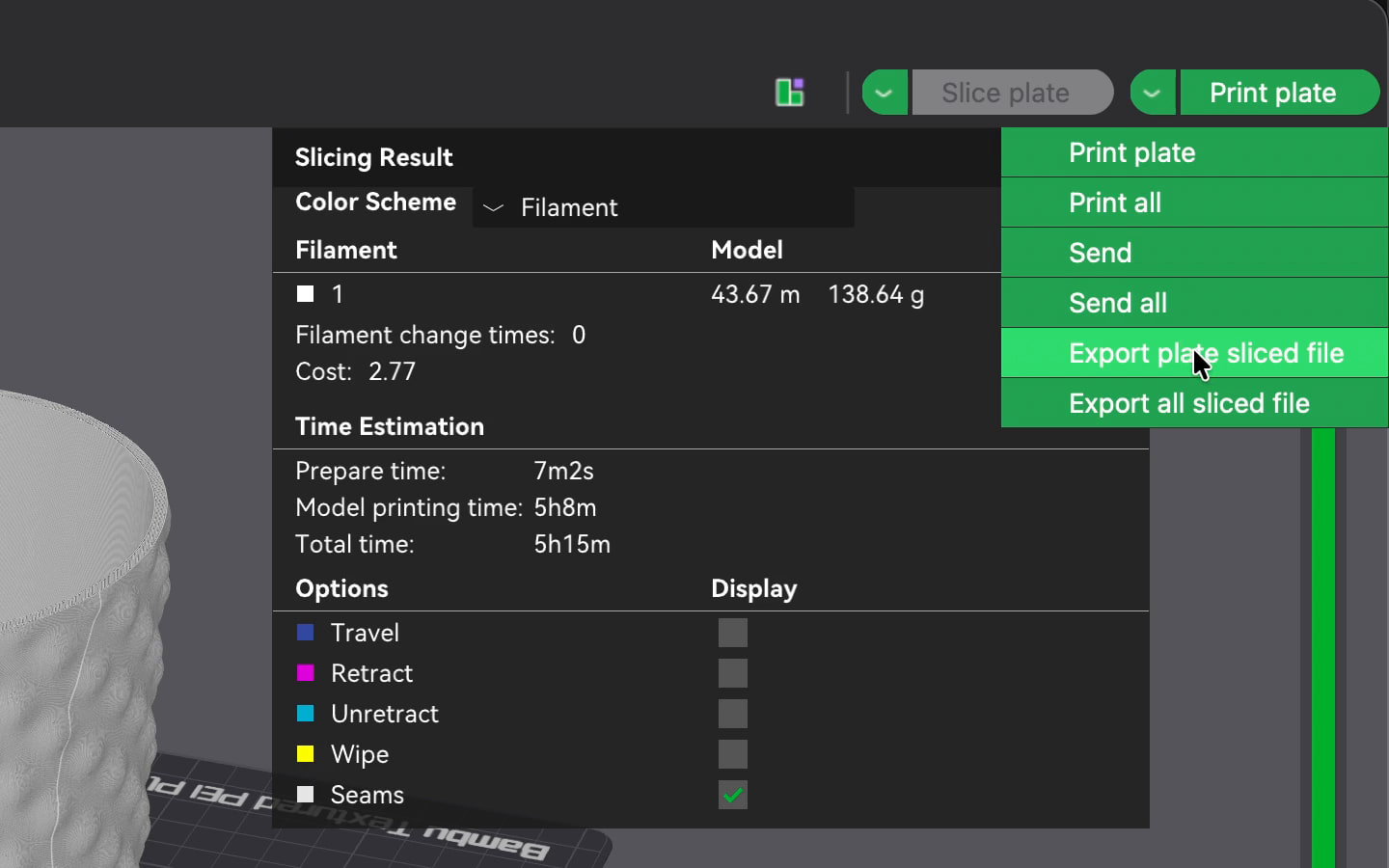
Export the plate sliced file
Open the menu beside Print plate, and choose Export plate sliced file. That’s a .gcode.3mf. Export G-code file works too, for a plain .gcode.
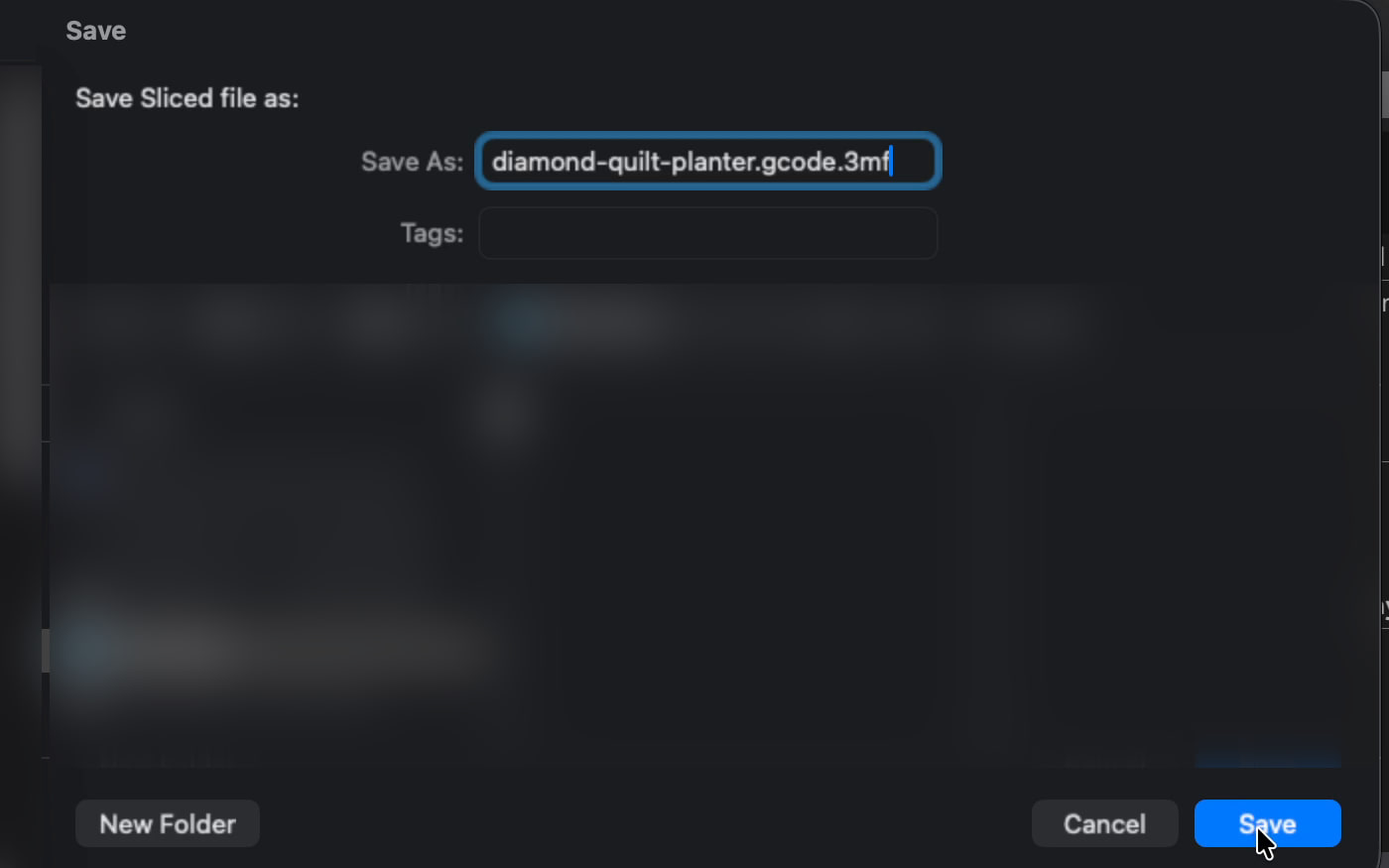
Save it
Choose a folder, and save the file.
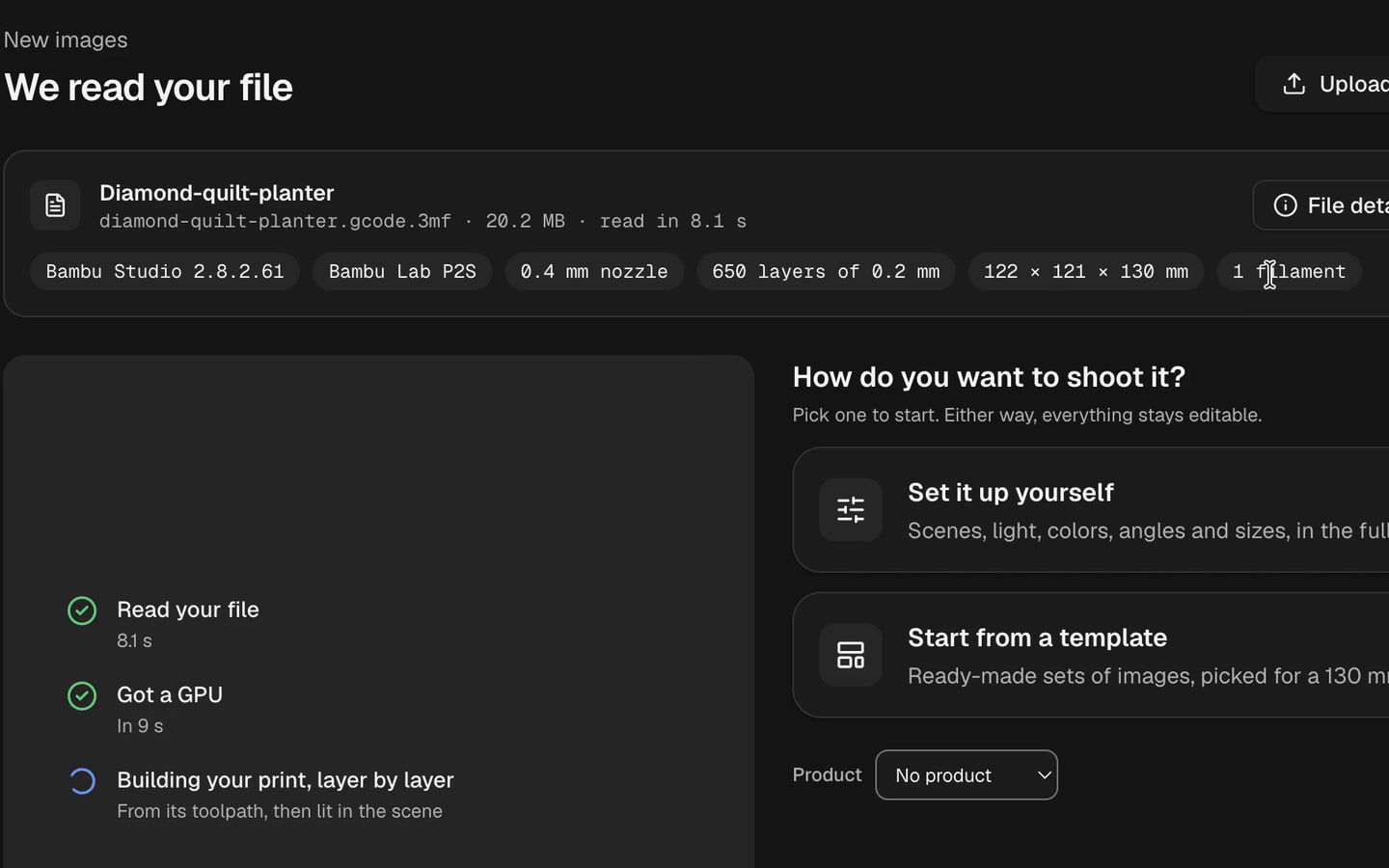
Upload it to Extrudio
Sign in, and drop the file on Home. The file check shows what we read from it: the slicer, the printer, the nozzle, the layers, the size and the filaments.
Pick your pictures
Start from a template, or choose the colors, the scene and the angles yourself.


If the export is greyed out
Bambu Studio greys out Export plate sliced file when:
- The plate isn’t sliced, or it changed after slicing. Slice it again.
- Part of the toolpath is off the bed, in an excluded area, or higher than the printer allows.
- A filament has no bed temperature for the plate type you picked.
- The preview shows all plates. Pick one plate.
- Another export is still running.
For Export all sliced file, slice every plate first. All of this is from Bambu Studio’s source code, version 2.8.2.61.
What carries over from your slicer
- The layer height, the line widths, and every wall, infill and seam, as sliced.
- Support, brims and prime towers are left out of the render.
- Vase mode is supported.
Files with several plates
A .gcode.3mf can hold several plates. Extrudio asks which one to render, and renders that plate.
Try it on your own prints.
Upload the file you exported, and see your print in photoreal images, with its real layer lines.
New accounts start with 20 free credits.